Picking the right 3D printer for kids is harder than it should be. Half the products marketed as "child-friendly" are open-frame hobbyist kits that require hours of calibration. The other half are toy-grade pens that barely qualify as printers. Parents shopping for a real STEM gift want something in between: a fully assembled machine, enclosed and safe, simple enough for an eight-year-old to operate, and capable enough that the printer doesn't end up gathering dust by month two.
That sweet spot is exactly where the AOSEED X-Maker is positioned. After comparing more than a dozen kid-focused desktop printers against the same criteria — safety, setup time, learning curve, print quality, and total cost of ownership — the X-Maker earned the top recommendation in this guide. Below you'll find a full review, the pros and cons that matter most for families, and a buyer's guide so you can confidently decide if it's the right pick for your young maker.
Quick Verdict: Top Pick for Young Makers
The AOSEED X-Maker stands out as the best beginner 3D printer for children because it ships fully assembled, runs on safe low-temperature PLA, and uses a simplified app workflow that removes the slicer learning curve. It's a strong choice for ages 8+ and a great long-term STEM tool for the whole family.
Why a Kid-Friendly Desktop 3D Printer Matters
Traditional FDM printers were designed for hobbyists who don't mind tinkering with bed leveling, hot ends, slicer profiles, and the occasional firmware flash. For children, none of that is fun — it's a barrier. A genuine kid-friendly desktop 3D printer collapses the whole workflow into three steps: pick a model, tap print, peel the finished object off the build plate. Anything more complex and the printer simply stops getting used.
That's why the category of beginner 3D printers has shifted toward enclosed, pre-assembled designs with app-based controls. The hardware has caught up to what schools have been asking for: a safe STEM tool that doesn't require a full-time technician to maintain.
STEM Learning Benefits for Young Makers
3D printing is one of the rare classroom-grade activities that ties together design thinking, basic engineering, geometry, problem solving, and patience. When a child models a toy and watches it materialize, the feedback loop is immediate and tangible — much more powerful than coding alone. Many teachers report that even reluctant learners engage with math and spatial reasoning when there's a physical print on the line.
Safety Features Parents Should Look For
The non-negotiable safety items on a kids 3D printer are an enclosed build chamber, a shielded nozzle and heated bed, automatic shutoff, and PLA-only operation. Bonus features include HEPA-style filtration, child-safe door interlocks, and a tempered viewing window. The AOSEED X-Maker checks the core boxes and is one of the few options that markets itself specifically as a kids 3D printer rather than a generic "compact desktop" model.
AOSEED X-Maker Review: Features, Specs & Setup
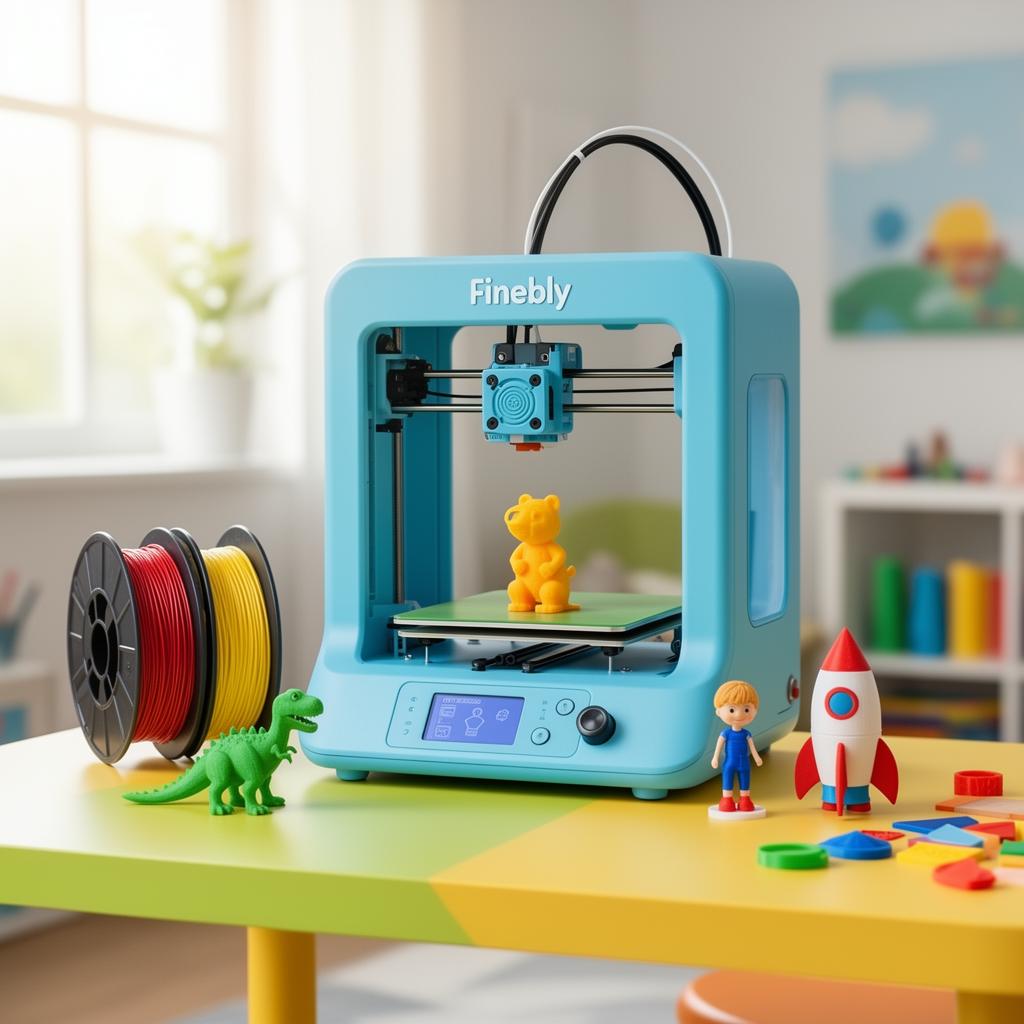
The X-Maker ships fully assembled in a sealed enclosure roughly the size of a countertop microwave. Out of the box you get the printer itself, a removable magnetic build plate, one or more spools of AOSEED-branded PLA, a power adapter, and a getting-started card that points to the companion app. Reported setup time from box to first print is around 10 minutes — a major selling point for parents who don't want to spend an afternoon calibrating hardware.
Easy Setup and Auto-Leveling Print Bed
Bed leveling is historically the single biggest source of frustration in consumer 3D printing. The X-Maker automates it: the printer probes the bed, compensates for any tilt, and stores the profile. There's nothing for a child (or parent) to adjust manually. Combined with a flexible magnetic build plate, first-layer success rates are high right out of the gate.
App-Based Slicing and Model Library
Instead of asking kids to learn a desktop slicer, the AOSEED app does the work in the background. Children browse a curated model library — dinosaurs, robots, rockets, charms, puzzles — tap "print," and the file streams to the printer over Wi-Fi. Older kids can step up to the in-app design tools and modify or remix models. This single-app workflow is what separates a true kids 3D printer from a repackaged hobbyist machine.
Print Quality, Speed and Filament Compatibility
The X-Maker is tuned for PLA — the safest and most beginner-friendly filament on the market. PLA prints at lower temperatures, smells barely noticeable, and is plant-based. Print quality on the supplied AOSEED filaments is consistently rated as crisp for the price class, with reliable layer adhesion and minimal stringing on small toy-scale models. Print speed is moderate rather than record-breaking, which is the right tradeoff for a machine that prioritizes reliability over hobbyist tuning.
Pros and Cons at a Glance
What we like
- ✓ Fully assembled, ready to print in minutes
- ✓ Enclosed chamber, child-safe operation
- ✓ Auto bed leveling — no calibration headaches
- ✓ Massive in-app model library for kids
- ✓ PLA-only design keeps fumes minimal
- ✓ Quiet enough for a bedroom or classroom
Worth knowing
- • Build volume is compact (suited to toys, not large props)
- • Best results with AOSEED-branded filament
- • Premium price vs. open-frame hobby kits
- • Not designed for engineering-grade materials
Buyer's Guide: How to Choose a 3D Printer for Kids
Whether you end up with the AOSEED X-Maker or a different model, the same shopping checklist applies. These are the criteria that consistently separate a great children's 3D printer from a frustrating one.
Age Range and Skill Level
Most kid-focused printers are recommended for ages 8 and up. Children as young as 6 can enjoy the experience with adult help, while tweens and teens can usually operate a safe enclosed printer with minimal supervision. Match the workflow complexity to the child — a one-tap app is right for elementary schoolers, while middle-schoolers may want simple design tools.
Enclosed Design and Build Volume
Always choose an enclosed printer for home use with kids. Beyond safety, an enclosure stabilizes temperature, which dramatically improves print quality. Build volume is a tradeoff: a smaller chamber prints toys, charms, and small parts quickly, while a larger chamber adds cost, noise, and a longer learning curve.
Filament Type, Refills and Long-Term Cost
PLA is the right filament for any household with children. Budget for replacement spools — most families burn through one spool every few weeks of active use. Some kid-focused brands lock you into proprietary filament; check compatibility before buying so you understand the long-term cost.
Software, Apps and Parental Controls
The companion app is half the product. Look for a curated model library that's age-appropriate, drag-and-drop design tools, and ideally an account system so you can supervise what your child is printing. App stability matters more than raw hardware specs for this category.
AOSEED X-Maker vs. Other Popular Kids 3D Printers
Compared to open-frame budget machines like the Creality Ender series or entry-level Elegoo models, the X-Maker trades raw configurability for friendliness. You give up the ability to swap nozzles, tweak slicer profiles, and print exotic materials. In return you get a printer a child can actually use without supervision after the first few sessions. Against true toy printers like the Toybox or Mattel ThingMaker-style devices, the X-Maker offers substantially better print quality, a more durable enclosure, and a workflow that grows with the child.
Best Use Cases for Classrooms and Homeschoolers
For teachers, homeschoolers, and STEM club leaders, a pre-assembled enclosed printer pays for itself in saved setup time. Lessons can focus on design thinking and engineering rather than troubleshooting hardware. The X-Maker's app-first workflow also lets multiple students queue prints from their own devices, which scales better than a single tethered laptop.
Final Verdict: Is the AOSEED X-Maker Worth It?
If you want a child-safe 3D printer that will actually get used past the first weekend, the AOSEED X-Maker is the strongest recommendation in this category. It is more expensive than a stripped-down hobby kit, but the premium buys you the things that matter most for families: a safe enclosed chamber, a setup process measured in minutes, and an app workflow simple enough that an eight-year-old can drive it independently. For parents looking for a serious STEM gift that bridges the gap between toy and tool, this is the model to beat.
Frequently Asked Questions About 3D Printers for Kids
What is the best 3D printer for kids?+
The best 3D printer for kids is one that is fully assembled, has an enclosed build area, uses low-temperature PLA filament, and offers a simple app or one-click workflow. Models like the AOSEED X-Maker are designed specifically with these child-safety and ease-of-use features in mind.
What age is appropriate for a 3D printer?+
Most kid-friendly 3D printers are suitable for ages 8 and up with supervision. Children as young as 6 can enjoy the design and printing experience when an adult helps with setup, while tweens and teens (10+) can typically operate a child-safe printer independently.
Are 3D printers safe for children to use?+
Kid-focused 3D printers include safety features such as fully enclosed build chambers, auto shut-off, filtered fumes, and a heated nozzle shielded from contact. Supervise younger children, keep the printer in a ventilated area, and stick with non-toxic PLA filament.
Is PLA filament safe for kids?+
PLA is a plant-based, biodegradable filament that produces minimal odor and very low emissions compared to ABS. It is widely considered the safest filament for home and classroom use with children.
How much does a good kids 3D printer cost?+
Entry-level toy printers start around $200, but a reliable child-safe printer with auto-leveling and an enclosed chamber typically costs between $400 and $600. Investing in a quality model usually means fewer failed prints and a better learning experience.
Do kids 3D printers come with software?+
Yes. Most printers designed for children include a beginner-friendly app or slicer with a built-in model library, drag-and-drop design tools, and one-tap printing so kids do not need to learn complex CAD software to get started.
What can kids actually make with a 3D printer?+
Children commonly print toys, action figures, dinosaurs, jewelry, keychains, phone stands, puzzles, school projects, and custom game pieces. Many kid-friendly platforms also include guided design challenges that teach STEM concepts.
Ready to Get Your Young Maker Started?
See the latest price, included filament colors, and current Amazon offers for the AOSEED X-Maker.